
The iPhone Clock That Has a Wish to Catch
Angel Clock turns 11:11 into a wishing prompt. Behind the cloudy widget is a schedule built around the iPhone’s limits on background updates.
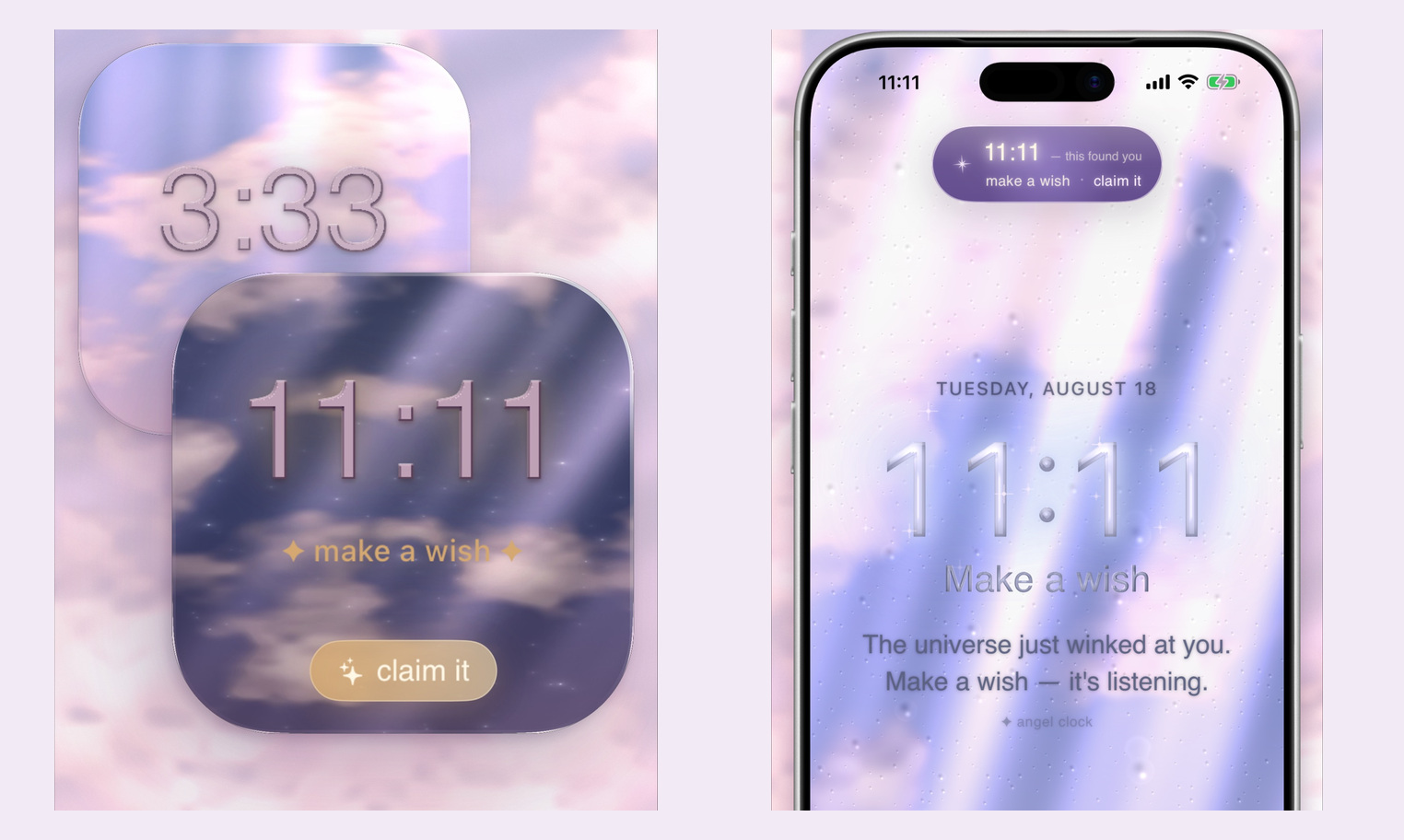
Angel Clock gives an iPhone widget a small appointment. At 11:11, the number turns gold and a wish prompt appears. The developer's App Store images pair the cloudy clock face with a claim it button, making a glance at the time into something the user can acknowledge. The app arrived in October.
For November 11, the store description explicitly invites a wish at 11:11 on 11/11. That invitation gives the interface a demanding deadline. A widget still showing 11:10 when the phone reaches 11:11 would miss the minute it was meant to catch. The design depends on the clock keeping up.
The official artwork puts the prompt on a square widget and in a compact capsule near the top of a phone screen. A separate installation video shows the system Lock Screen widget being added beneath the clock. In that demonstration, both displays move from 11:10 to 11:11, with a corresponding change in the widget's short line.
Apple's WidgetKit documentation explains why staying current requires planning. A widget extension does not remain continuously active just because it is visible. It can supply dated entries for a timeline, which the system uses to update the display. Apple describes a typical daily budget of 40 to 70 refreshes for a frequently viewed widget, varying with usage. Requesting another timeline and displaying entries already supplied are distinct steps.
In a November 2 development note, Angel Clock's maker describes preparing about 120 to 140 entries covering two hours, with extra entries around the important moments. An earlier six-hour schedule, roughly 360 entries, reportedly left the large widget stuck on its placeholder. The schedule was shortened.
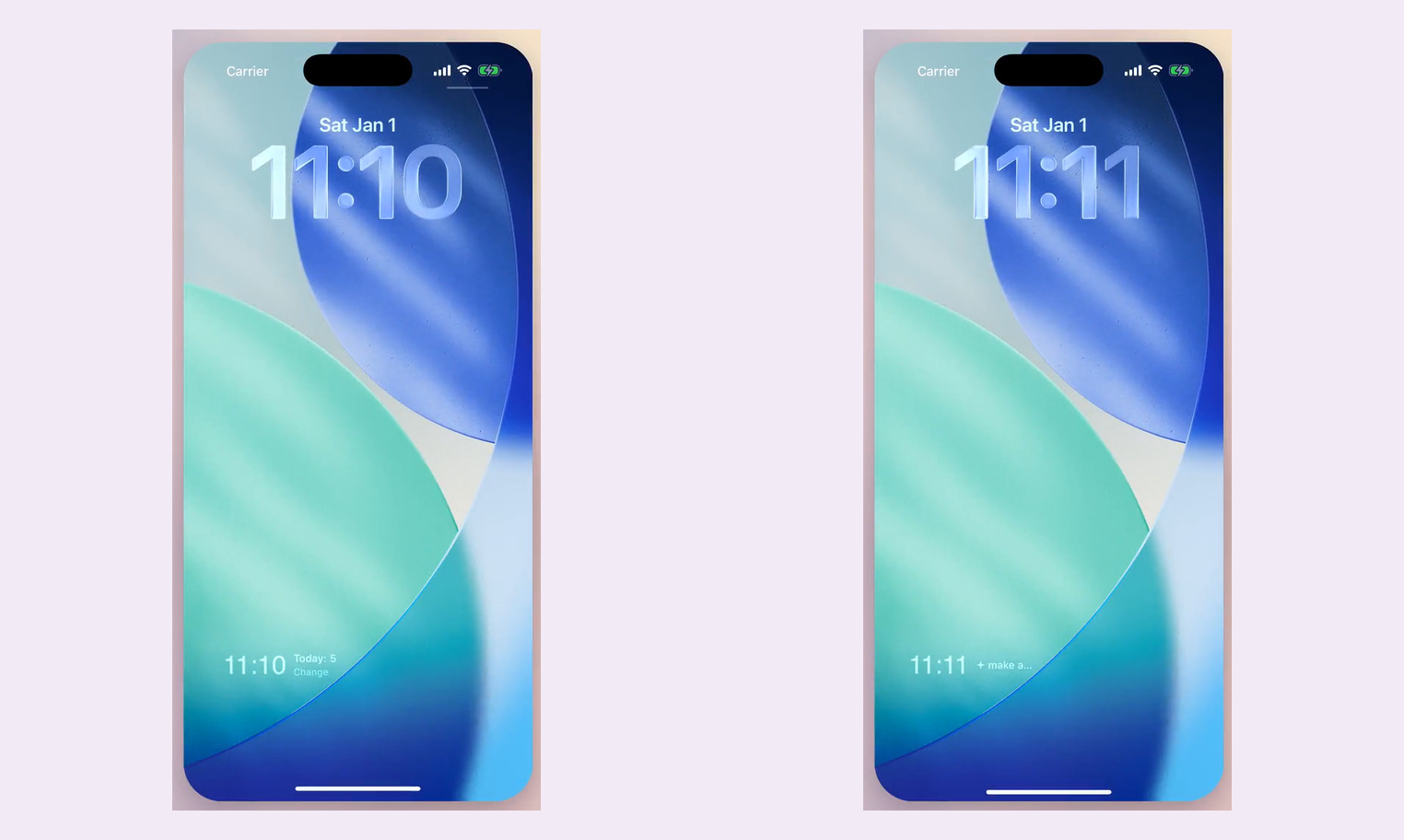
The appointments also depend on the clock format. Angel Clock's support page lists seven target times on a 12-hour face, including 1:11, 4:44 and 11:11, each occurring twice daily. A 24-hour display turns the afternoon's 4:44 into 16:44, so the app uses a different set that includes mirrored times such as 13:13, 15:15 and 22:22. It follows the iPhone's time setting.
The support page also deals with reminders that arrive late. A stalled widget may need the app opened once, while an optional local notification held by Focus can arrive after the intended minute has passed. These implementation details are documented by the developer.
A public browser clock offers a view of the idea before installing it. Clouds move behind the digits, with the day's number, the next target time and the remaining wait underneath. Controls change the clock format and show seconds. The next minute it intends to catch is already listed beneath the clock.
Related apps
Recommended
 FateKitSponsoredBest for astrology and Chinese-metaphysics readers who want to compare several chart systems for the same moment, inspect the sky data behind them, and prepare structured context for an external AI without uploading a profile by default.
 Cantian AIFor people who want AI Bazi readings and also want to cast a hexagram, check feng shui, or choose a name in the same app.
Sources
- App StoreAngel Clock on the App Store
- Angel ClockAngel Clock
- Angel ClockOfficial widget demonstration
- Apple DeveloperApple on keeping widgets up to date
- Angel ClockAngel Clock support
- Angel ClockAngel Clock's public browser clock
Similar stories
Learn Your Tarot. Dress Your Hedgehog.
Tarokko turns the tarot deck into short lessons and spaced quizzes, with a hedgehog whose wardrobe grows alongside your progress.
Content formats
A Friend Code for Your Birth Chart
Astra Loom turns a natal chart into a shareable Sky Code, connecting two charts to an illustrated reading of their relationship.
Birth ChartContent formats
Make a Wish. Now Write It Eighteen Times.
369 Zone helps draft an intention with AI, then asks its user to type the same sentence three times in the morning, six at noon and nine at night.
Manifestation AppsContent formats