
Timing AI puts astrology next to your calendar
Timing AI turns astrology into a daily rhythm tool, connecting energy curves, best-time windows, Orbit chat, and Apple Calendar sync.
The curve is the product
Most astrology apps still start with a paragraph.
You open them, read a forecast, maybe check a relationship note, and then return to your actual day. The meeting stays where it was. The hard conversation is still sitting in the afternoon. The calendar does not care that your mood is uneven.
Timing AI is interesting because it starts somewhere else.
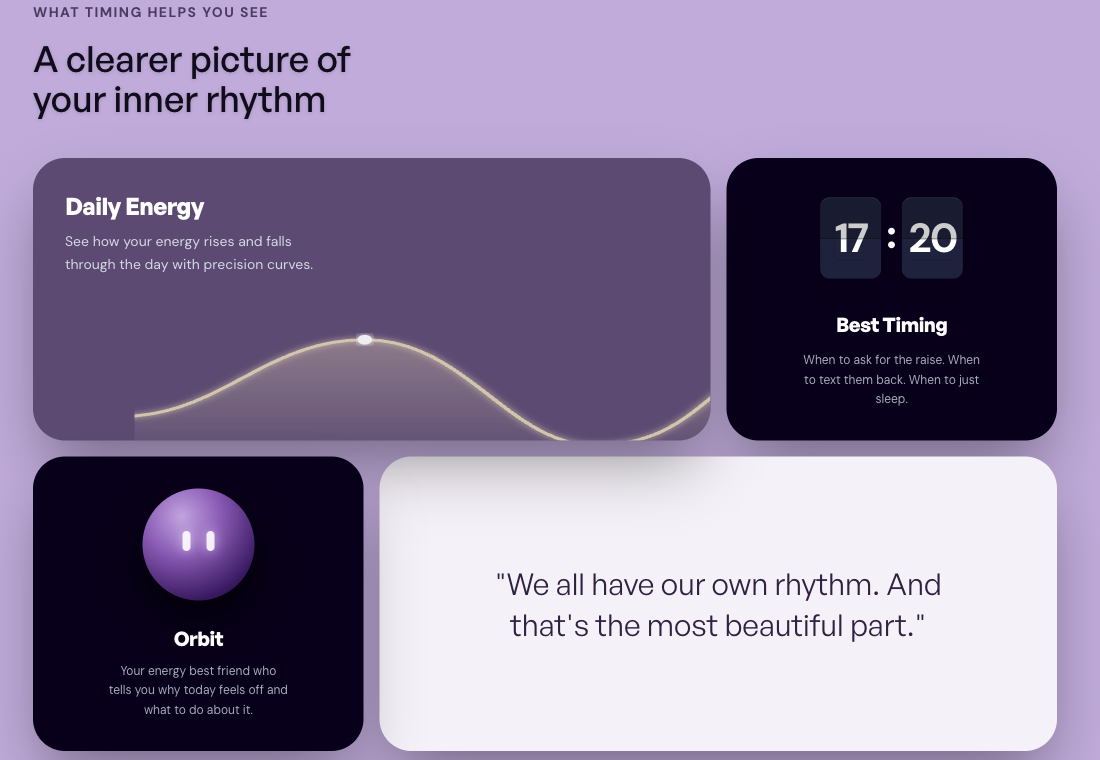
Its main idea is a daily energy curve. Instead of asking you to read a long explanation first, it shows how the day moves. Some hours are better for focus. Some are better for talking. Some are better for slowing down. That makes the app feel less like a horoscope feed and more like a small planning layer.
The recent update brings several pieces into that same direction: a cleaner navigation system, energy trends, Best Timing, Orbit chat, Apple Calendar sync, a partner view, and an astrology hub for people who want to understand the reasoning behind the suggestions.
That is the part worth paying attention to. Timing AI is not just adding more astrology content. It is trying to turn that content into a way to arrange the day.
Astrology becomes a rhythm
Daily Energy is the strongest part of the product.
The curve gives the app an immediate shape. You do not have to know every placement in your chart before it becomes useful. You can look at the day and ask a practical question: when should I write, when should I talk, when should I stop pushing?
That may sound small, but it changes the feel of the category.
Astrology products often explain why you feel something. Timing AI is more interested in what you do with that feeling. The curve gives the user a way to move from mood to timing.
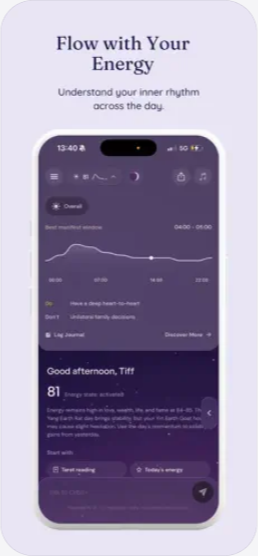
There is also a softer benefit here. A chart reading can feel abstract if you are not already fluent in astrology. A curve is easier to grasp. It gives the app a front door that does not require the user to become an astrologer first.
Best Timing gets practical
Best Timing is where the app starts to feel less like reading and more like planning.
The feature looks for useful windows, and it can take the user's availability into account. If there is no good window, it explains why. The week and month views also start from the current day, which makes them feel closer to how people actually plan.
The question changes from “what is my forecast today?” to “when should I do this?”
That is a much better question for a product.
If someone wants to schedule a difficult conversation, a focused work block, or a quieter personal task, Timing AI is trying to make the answer visible in the same place where the day is already being planned. Apple Calendar sync pushes the app further in that direction. A suggestion can become a task. A task can land on the calendar.
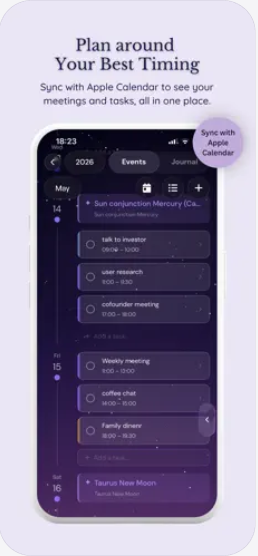
This is where Timing AI becomes more distinct. It does not need to replace the calendar. It can sit beside it and add a sense of rhythm.
Orbit makes the advice conversational
Orbit is the other important piece.
The example on Timing's site is simple: the user feels off and does not know why. Orbit does not push them to force productivity. It explains that the day's energy is better for reflection than pressure.
That kind of answer works because it can continue.
You can ask what to cancel, what to move, what to keep, or how to read the feeling without turning it into a crisis. The value is not that Orbit says something mystical. The value is that the advice can become a conversation.
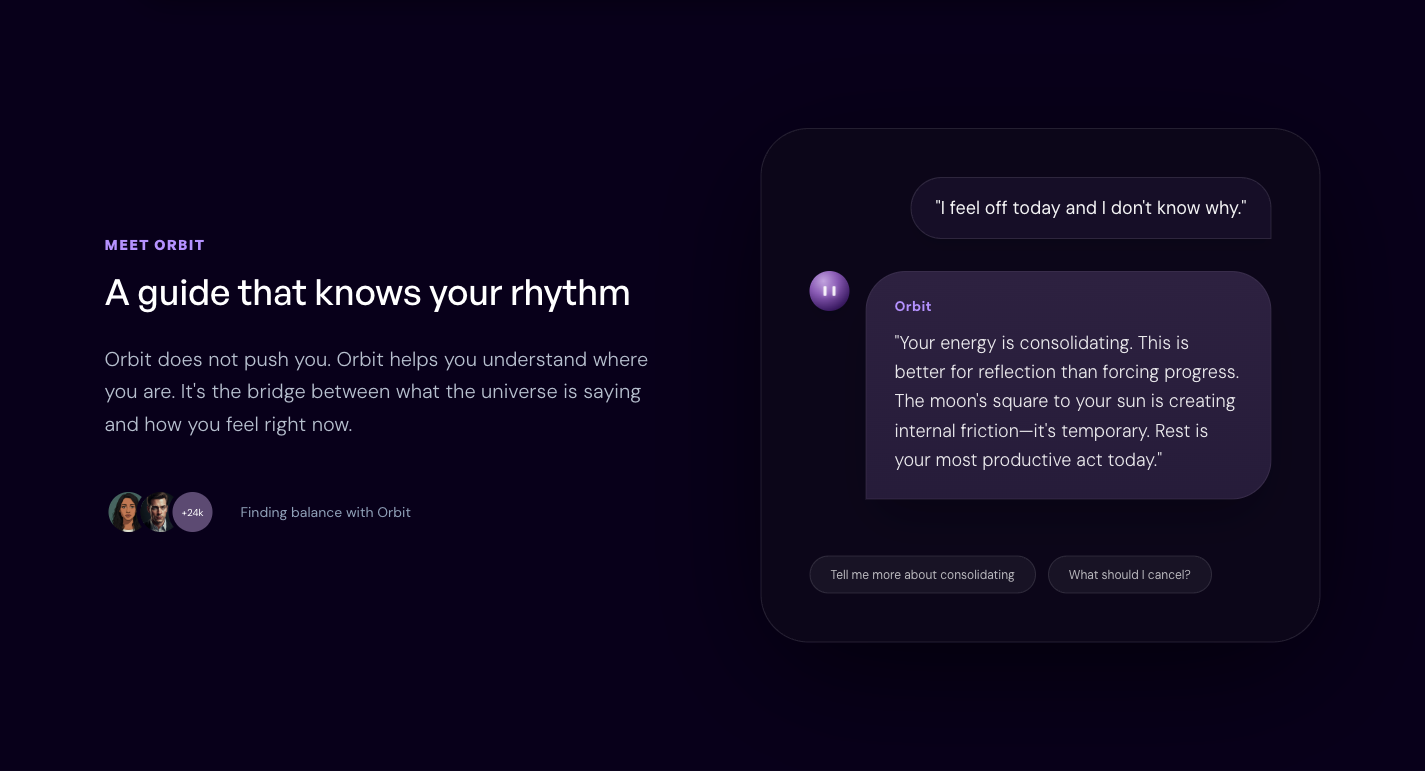
That matters for this kind of product. A fixed daily forecast is usually a dead end. A chat interface lets the user bring in the messy part of the day: the meeting they are avoiding, the person they are thinking about, the task they keep postponing.
The astrology hub then gives the app a second layer. If the user wants to know why a recommendation appears, there is somewhere to go. The product does not have to put the whole chart in front of them at the start.
The signal
Timing AI is worth watching because it moves astrology closer to an everyday workflow.
Open the app in the morning. Check the energy curve.
Planning something sensitive? Look for a better window.
Feeling off? Ask Orbit what the day is asking for.
Curious about the reasoning? Go back to the astrology hub.
That path is clearer than a feed of forecasts. It gives astrology a job inside the day instead of leaving it as something to read and forget.
For people who already use astrology, five elements, or energy language to plan their week, Timing AI now has a sharper reason to be opened. It is not just telling you what the day means. It is trying to help you place the day in time.
Recommended
 FateKitSponsoredBest for astrology and Chinese-metaphysics readers who want to compare several chart systems for the same moment, inspect the sky data behind them, and prepare structured context for an external AI without uploading a profile by default.
 Cantian AIFor people who want AI Bazi readings and also want to cast a hexagram, check feng shui, or choose a name in the same app.
Sources
Similar stories
These Fortune-Telling Apps Don't Tell Fortunes. They Write Your ChatGPT Prompt
Chatbots are bad at drawing birth charts, so some apps now do only two jobs: calculate the chart, then write a prompt for the AI you already use. Korea's Waitcle lets a 3,000-year-old moon rabbit do the reading; FateKit builds five chart systems offline.
AI Metaphysics WorkflowsBaZi
ChatGPT Reads Birth Charts Fluently. In One Test, 49 of 50 Charts Were Wrong
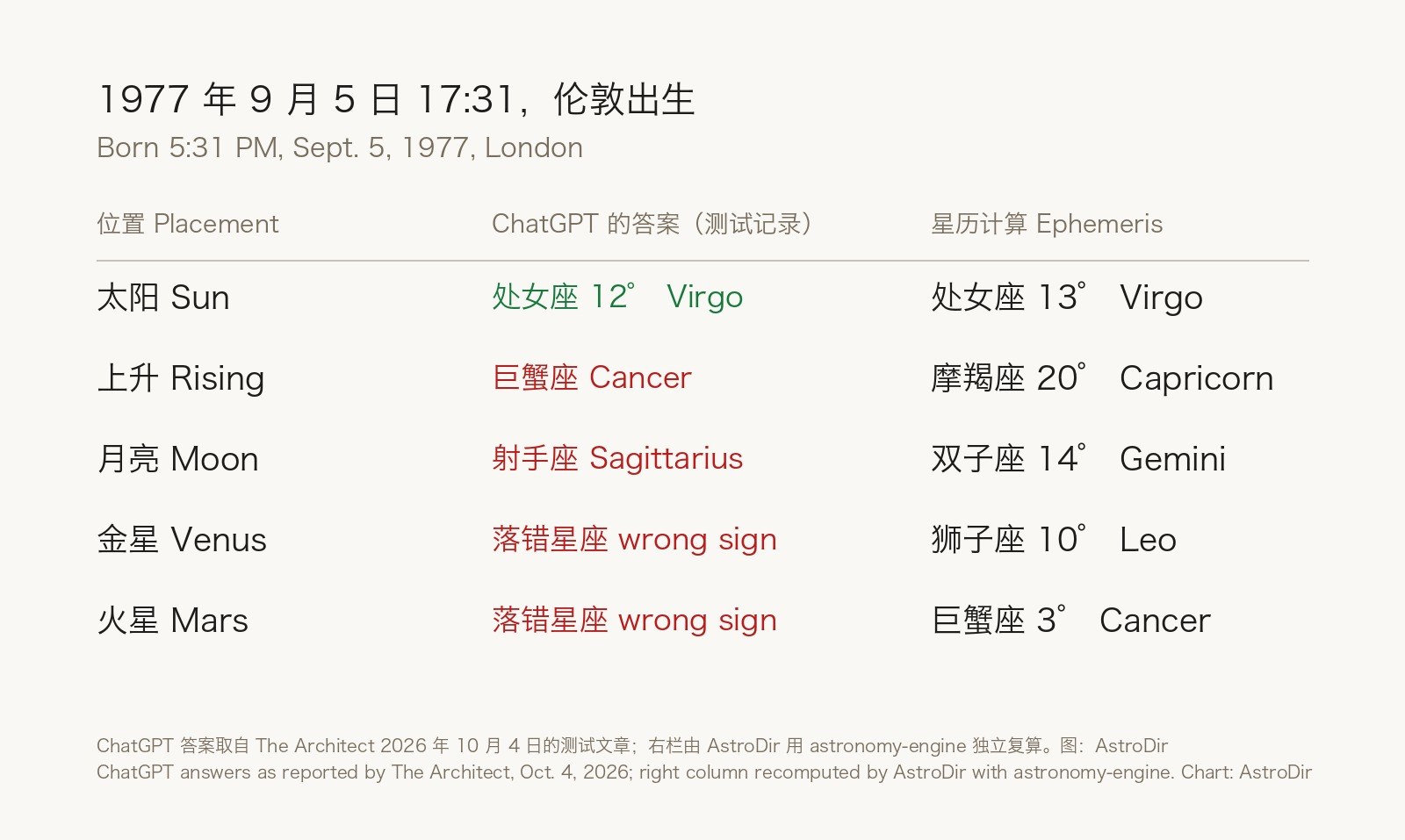
A journaling-app maker tested free ChatGPT's model on 50 invented births: every Sun sign was right, but the Rising sign was wrong in 33 of 40, and web search didn't fix it all. The same week, a Korean AI saju service filed patents on checking AI readings against a computed chart.
AI AstrologyBirth Chart
This Baby-Name App Lets Grandma Cast a Vote
Areumjit gives three baby names perfect scores in its official example, then offers a family poll. Relatives can pick a favourite through a link without installing the Korean naming app.
BaZiEast Asian divination