LogoAstroDir
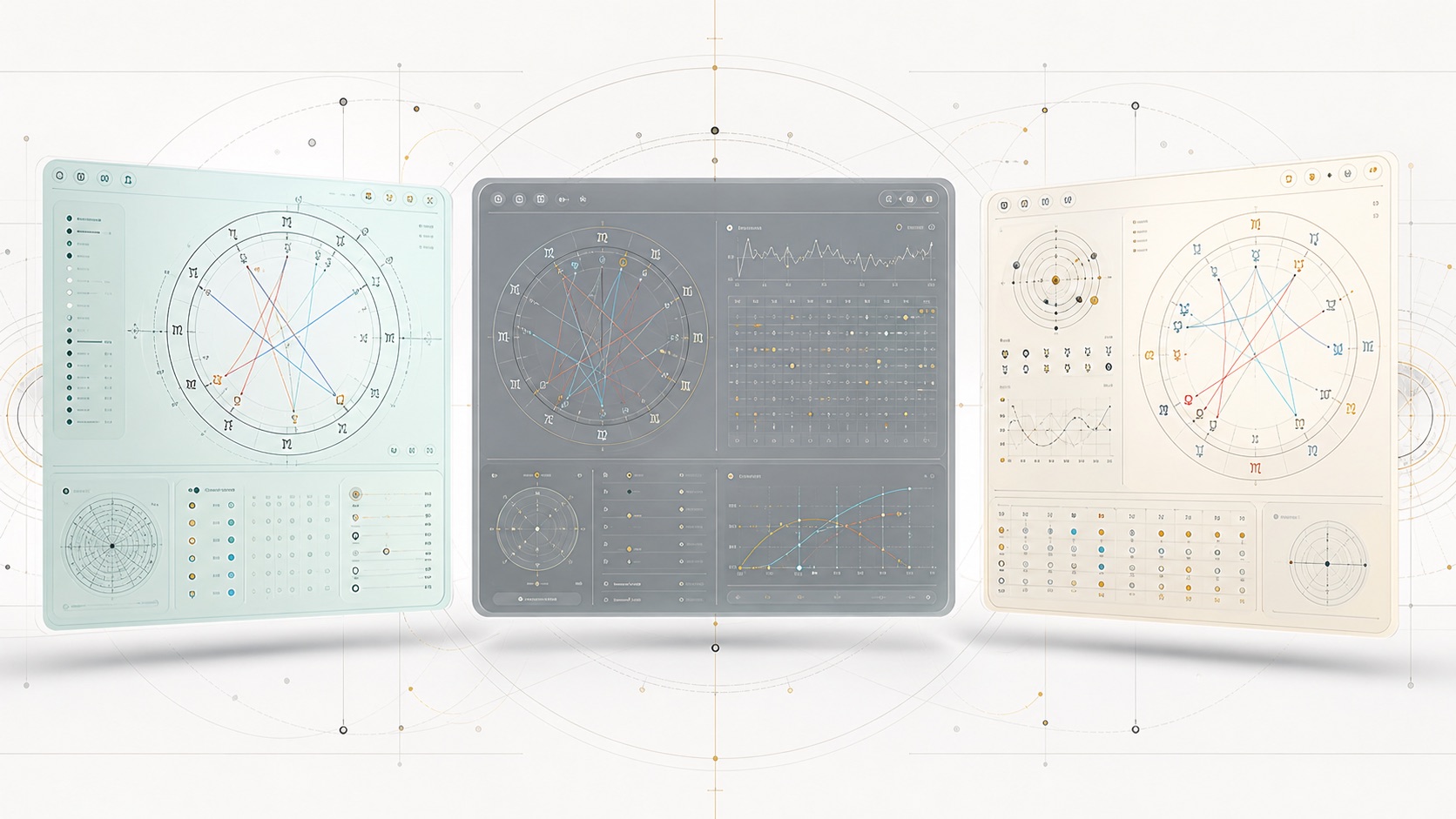
Technical editorial cover for serious astrology app comparison

Best Astrology Apps for Serious Chart Work in 2026: Astro Gold vs Time Nomad vs TimePassages

A focused comparison of Astro Gold, Time Nomad, and TimePassages for people who want real chart work, not another daily horoscope feed.

Most astrology apps are not built for serious chart work. They give you a daily line, a mood, maybe a relationship prompt, and then they hide the actual machinery. That can be fine. It is not the same job as casting charts, checking transits, comparing two charts, or adjusting house systems without feeling trapped by the app.

For this piece I am comparing three apps that belong in the same conversation: Astro Gold, Time Nomad, and TimePassages. I left out Co-Star, The Pattern, Sanctuary, and CHANI on purpose. Those apps matter culturally, but they are not mainly chart work tools. Putting them beside Astro Gold would make the comparison look bigger and less honest.

The question here is narrower: if you actually want to work with astrology charts on a phone or tablet in 2026, which app deserves your time first?

Short answer

Astro Gold is the pick if you care about professional chart control and are willing to learn a denser tool.

Time Nomad is the pick if you want a technically rich iPhone or iPad app that feels closer to a live celestial calculator.

TimePassages is the friendlier bridge: serious enough to grow with, but more willing to explain what you are looking at.

If I were choosing for a working astrologer, I would start with Astro Gold. If I were choosing for a self-taught student who checks charts often, I would start with Time Nomad. If I were choosing for someone who wants to learn through interpretations, I would start with TimePassages.

Why these three

I did not pick these because they happen to be in the same app category. They share a more specific use case: chart calculation, chart storage, transits, synastry or comparison work, and some path beyond a simple horoscope feed.

Astro Gold and Time Nomad are closer to technical tools. TimePassages sits a little closer to education and interpretation. That tension is useful. It lets the article compare real tradeoffs instead of pretending every astrology app is trying to win the same race.

What I checked

I looked for chart types, transit handling, progressions, synastry or composite support, house and zodiac settings, data storage, platform limits, and how much interpretation the app gives before you need outside knowledge.

I also looked at first-session friction. A professional app can be dense. That is acceptable. What matters is whether the density feels like useful control or like a locked cabinet.

1. Astro Gold

Best when chart control matters more than hand-holding

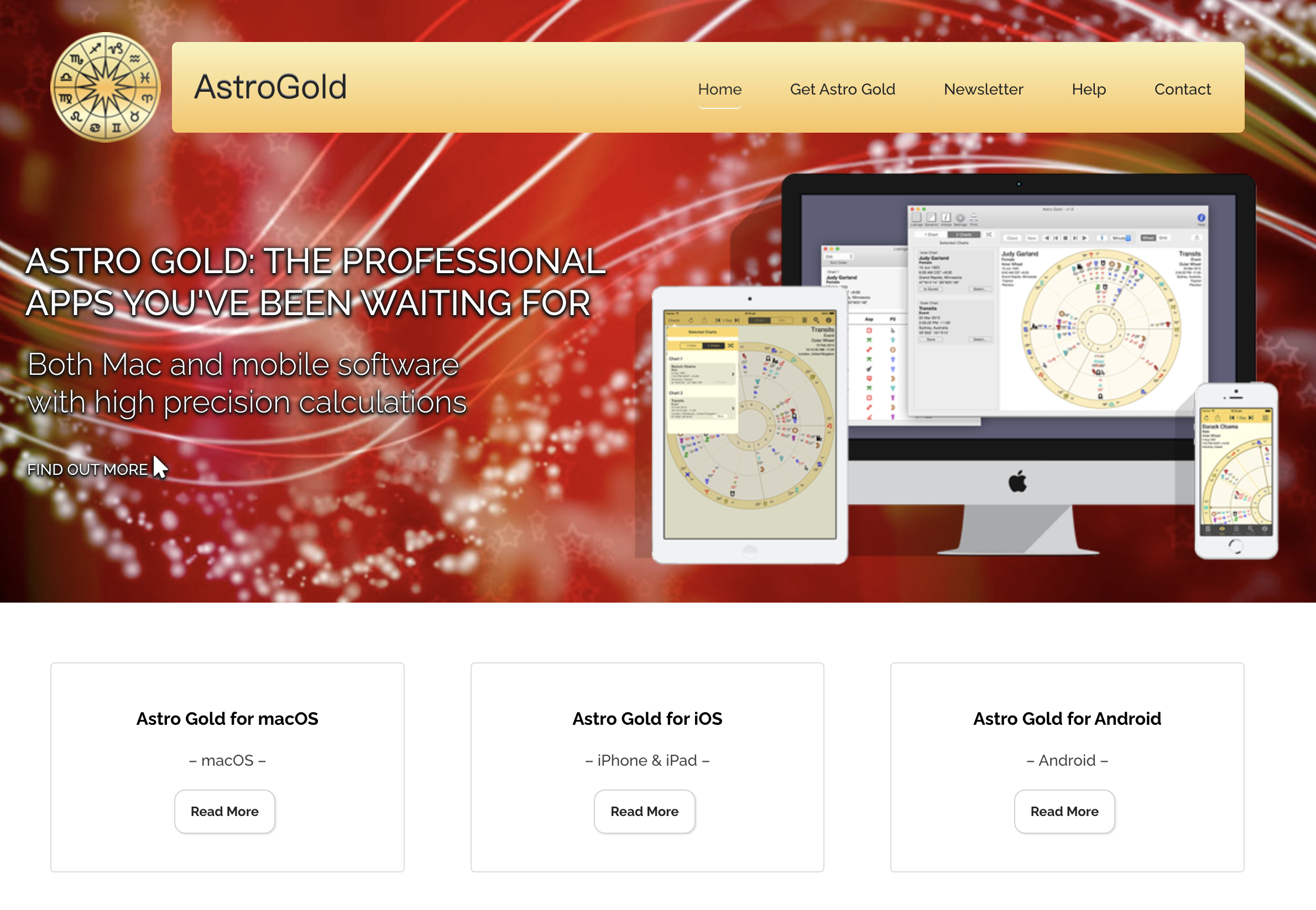
Screenshot of the Astro Gold astrology app page

Astro Gold is the most obviously professional tool in this group. Its own App Store description calls it a professional astrology tool, and the feature list backs that up: natal and transit charts, bi and tri chart wheels, aspect grids, progressed charts, directed charts, solar returns, lunar returns, composite charts, dynamic predictive listings, expanded settings for orbs, chart points, zodiacs, and house systems.

The important detail is not that the list is long. Long lists are cheap. The important detail is that these are the things people ask for when they are doing chart work rather than reading a daily horoscope. Swiss Ephemeris, ACS Atlas, historical time zone data, chart file management, and Solar Fire compatibility all point in the same direction.

That also tells you who should not start here. If you are still trying to understand what a house is, Astro Gold may feel like arriving at a workshop where every drawer is already open. Useful, but not gentle.

I would choose Astro Gold when accuracy, configurable chart display, and professional workflow matter. I would not choose it as a first astrology app for someone who mainly wants emotional context.

2. Time Nomad

Best for technical exploration on iPhone and iPad

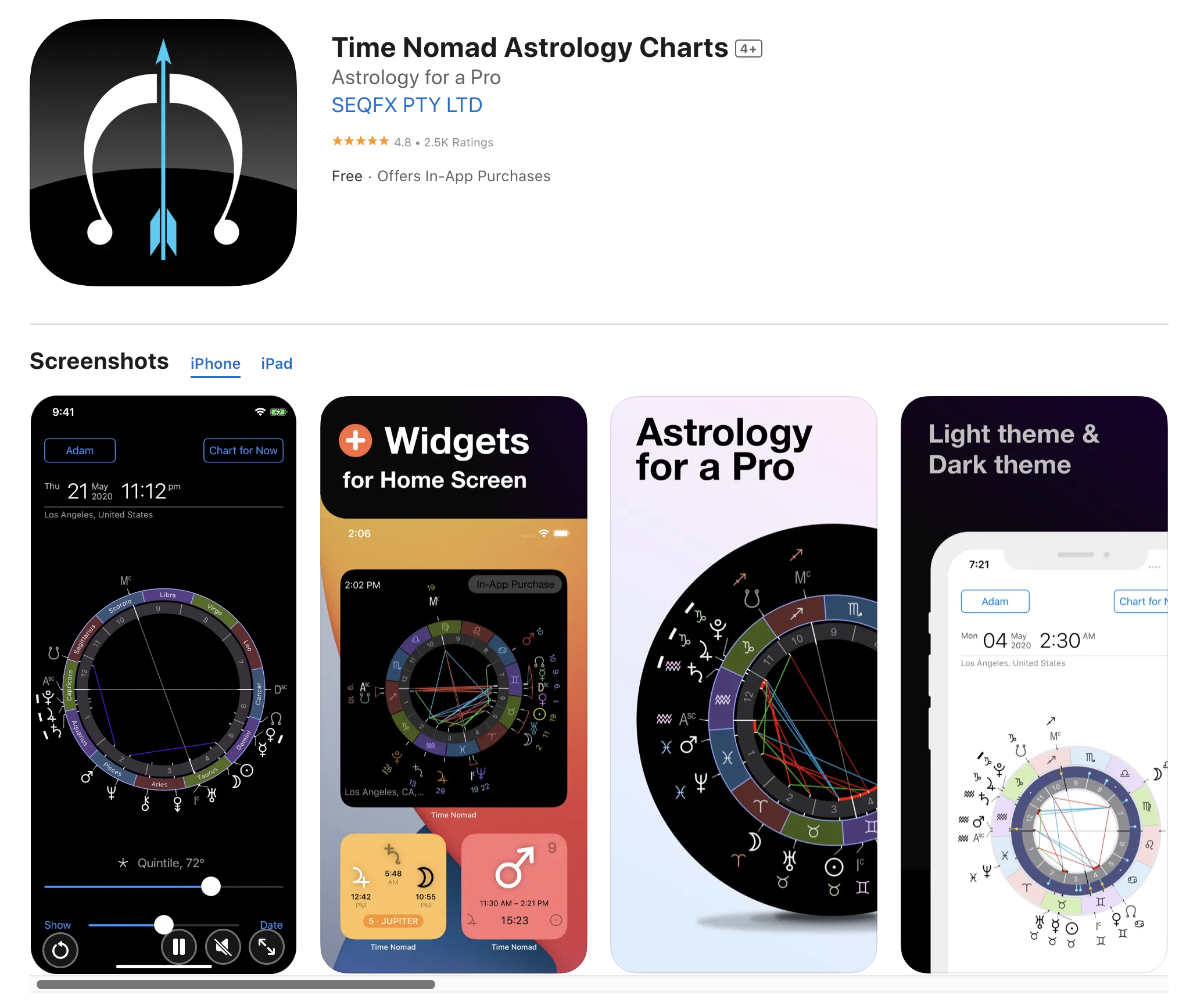
Screenshot of the Time Nomad astrology charts app page

Time Nomad feels less like a report app and more like a moving sky instrument. The official site describes real-time charts, transits, synastry, progressions, fixed stars, tropical and sidereal zodiac systems, planetary hours, widgets, and local calculation after profiles are created.

The part I like is how specific the tool is about movement. It is not only asking for a birth time and returning a paragraph. It is built around current configurations, upcoming events, widgets, fixed stars, and repeated checking. That makes sense for someone who watches transits as a living timeline rather than a once-a-year report.

The iCloud and no-login angle also matters. Birth data is intimate. Time Nomad stores profiles in the user's iCloud account, according to its site, and says no registration or password is needed. For a serious astrology app, that is not a cosmetic feature.

The tradeoff is that Time Nomad can feel more technical than interpretive. If you want a tool that teaches through long written readings, TimePassages is probably easier. If you want a pocket chart lab, Time Nomad is more interesting.

3. TimePassages

Best for learning through interpretation

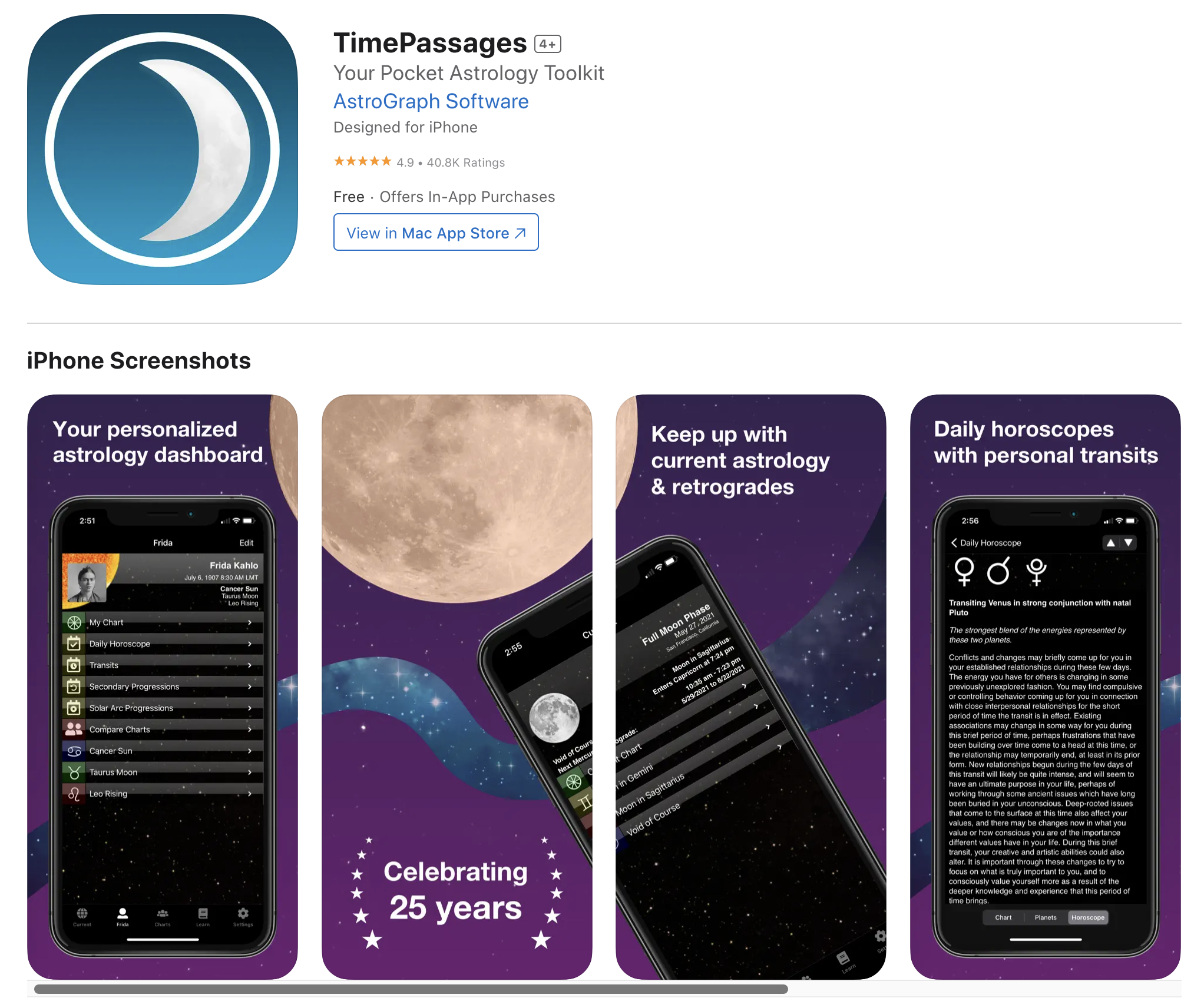
Screenshot of the TimePassages astrology app page

TimePassages has a different center of gravity. It still covers serious territory: birth charts, daily horoscopes based on the chart, transits, progressions, synastry, composite charts, saved charts, settings for house calculations, displayed points, and aspect options. But it is much more invested in interpretation.

That makes it useful for a person who wants to learn while using the app. AstroGraph's site says users can click chart features to view interpretations by Henry Seltzer, and the App Store listing leans into the same idea: chart depth with explanations, glossary-style learning, relationship dynamics, and timing.

TimePassages is not as sharply technical as Astro Gold, and it does not have Time Nomad's feeling of a live sky dashboard. Its strength is the middle path. You can look at a chart and get language around it before reaching for a book or a search engine.

The thing to watch is the paywall shape. The App Store listing currently shows free entry with in-app purchases and Pro options. That is normal for this category, but it means the app feels different depending on whether you stay with the free layer or move into paid chart types.

Why I did not include Co-Star, The Pattern, or Sanctuary

They are legitimate astrology apps. They are just not the right comparison set for this article. Co-Star and The Pattern are better understood as personality, relationship, and daily insight apps. Sanctuary leans toward live readings and expert access. CHANI has a strong editorial and reflective voice.

Those are real products, not garbage products. But if the search intent is serious chart work, they answer a different question. A fair comparison should make the category smaller, not noisier.

Which one should you use first?

Choose Astro Gold if you already know you want professional chart control. It is the most direct fit for astrologers, advanced students, and people who care about configurable chart calculation more than a friendly reading flow.

Choose Time Nomad if you want to keep astrology close to the moving sky. It is the best fit here for someone who checks transits, widgets, fixed stars, planetary hours, and chart movement often enough that a lightweight horoscope app would feel thin.

Choose TimePassages if you want to learn with the chart in front of you. It gives more interpretive support, which makes it less intimidating for people who are serious but not yet fluent.

My honest order would be this: Astro Gold for professional control, Time Nomad for technical mobile exploration, TimePassages for learning and interpretation. None of the three is a throwaway. The right choice depends on whether you want calculation, observation, or explanation first.

Checked pages

Astro Gold official about page

Astro Gold App Store listing

Time Nomad official site

AstroGraph / TimePassages official site

TimePassages App Store listing

Publisher

Celeste Vega

2026/05/11

Categories